![iTunesArtwork@2x.png]](https://help.groomer.io/hs-fs/hubfs/iTunesArtwork@2x.png?height=50&name=iTunesArtwork@2x.png)
Payroll Management
Payroll Management brings together the Time Clock, employee commissions, and payroll reports. Together they help you pay your team accurately and on time.
Important: Commission is recorded when an appointment is marked Finished. Tips are recorded when the appointment is Checked Out and the tip amount is entered. Changes made to an appointment after these points are not reflected in Payroll Management reports.
Where to find it
Payroll Management is available on V3 only (Web App, Android, and iOS 3.0). It is not available on V2.
- Open the side menu.
- Select Facility Settings.
- Select Payroll.
You'll see three tabs: Time Sheets, Reports, and Employee Settings.
New to Payroll Management? Follow How to set up Payroll Management first.
Time Clock
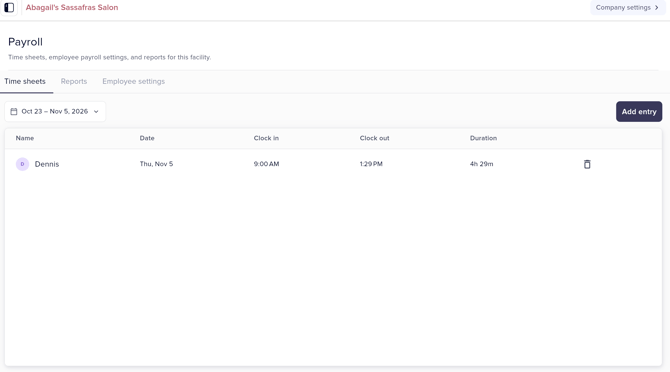
- Staff clock in and out with their own PIN code, so regular and overtime hours are recorded accurately.
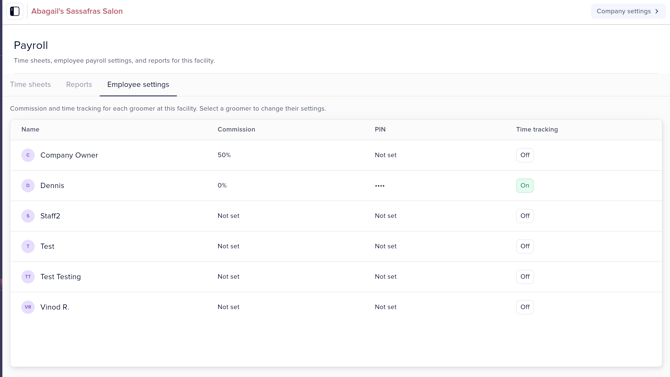
- Turn on the Time Clock for an employee in the Employee Settings tab by setting Hourly Wage to YES and adding a PIN code.
- Review hours in the Time Sheets tab. Time data flows straight into payroll reports, so there's no manual entry.
Employee Commissions
- For staff paid on commission, Groomer.io tracks earnings from their finished appointments and the revenue they generate.
- Each employee can have their own commission percentage, and you can track hourly pay alongside it.
- Services are set as being commissionable under the Services tab, located under Company Settings. For example, you might exclude late fees or daycare.
Reports
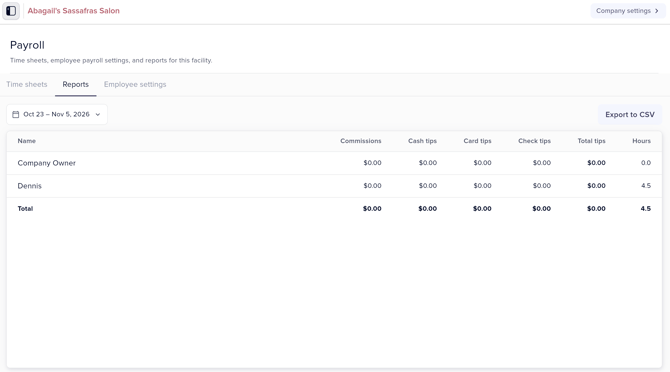
- Payroll reports give a clear view of each employee's hours, commissions, and tips. Tips are calculated per employee.
- From the Reports tab, export the report and upload it to QuickBooks, Intuit, or a similar financial platform.
- Regular reports help with budgeting, catching errors, and staying ready for tax filing and audits.
Need help?
Contact Support@Groomer.io with any questions about setting up Payroll Management.