![iTunesArtwork@2x.png]](https://help.groomer.io/hs-fs/hubfs/iTunesArtwork@2x.png?height=50&name=iTunesArtwork@2x.png)
Connect Clover to Groomer.io for card payments, Online Pay, and in-person checkout.
Connecting your Clover has to be done on the Web Portal, your Clover Device will pair automatically.
-CLICK HERE to login to the Web Portal
-Select your Facility and tap on the Settings Tab
-Scroll to the bottom and select CONNECT under Integrations: Clover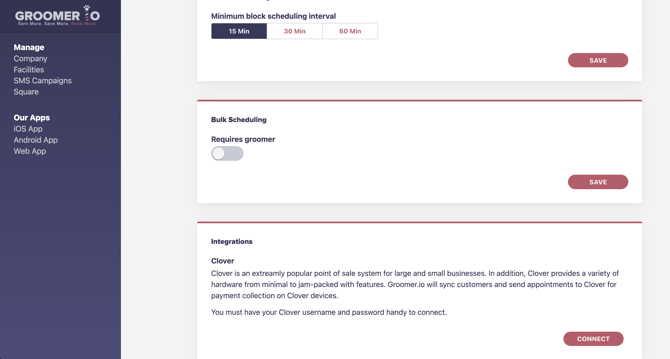
Groomer.io integrates with Clover for payment processing. Connecting Clover also turns on Online Pay automatically. CLICK HERE to review and manage your Online Payment options.
Don't want Online Pay turned on? Contact support@groomer.io and we'll turn it off.
Click HERE to learn how to connect your Terminal.
If you have any questions about setting up this feature, contact us at support@groomer.io