![iTunesArtwork@2x.png]](https://help.groomer.io/hs-fs/hubfs/iTunesArtwork@2x.png?height=50&name=iTunesArtwork@2x.png)
Your Day at a Glance
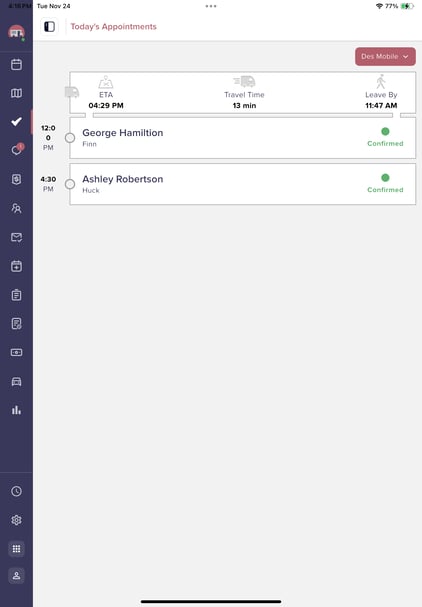
The Today screen is home base for your day on the road. Every appointment moves through it in the same order:
- Coming Up: Today's stops you haven't headed to yet. The ETA bar will guide you throughout each day.
- On the Way: You've let the pet parent know you're headed to them.
- Finished: The groom is done, and the appointment moves to the Check Out screen.
Begin your Route
- Go to the Today screen to see all of today's stops in order.
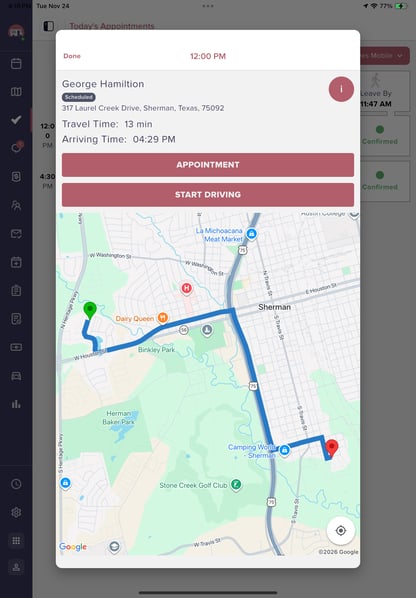
- Tap on your upcoming appointment to get started.
- Select Start Driving > Automatically Contact. This will call and text the client that you are on the way.
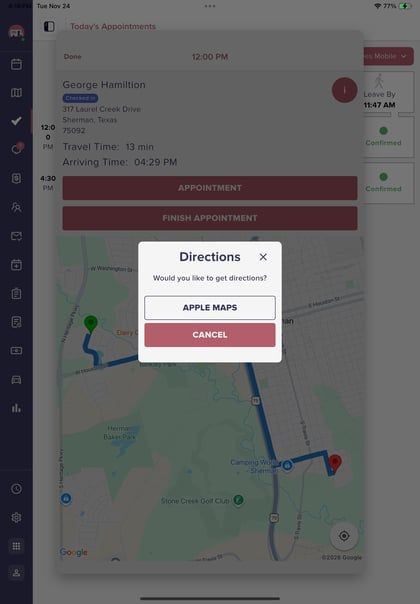
- Would you like Directions? Groomer.io will automatically sync with your Google or iMaps for directions.
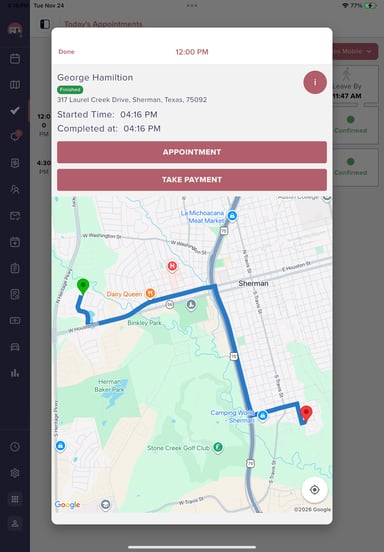
- Once you have finished with the pet, you can tap on Finish Appointment.
- You can select Take Payment to go directly to the Check Out screen, send the Online Pay link, or select Done to return to your Today screen view.
Get Paid and Roll Out!
- From the Check Out screen, tap the 3 dots on the Appointment card to process payment.
- Select Take Payment. If the client has used Online Pay, it will automatically be marked as Paid. You can tap the 3 dots to Complete Payment.
- Otherwise, choose how they're paying:
- Card on File: Charges the saved card. The payment goes straight into your Square account.
- Pay Ahead link: Send or resend the online payment link. Great for pet parents who aren't home, so you can head to your next stop.
- Terminal: Send the total to your Square Terminal or Clover device and take the card in the van.
- Cash or Check
- When the payment goes through, you can send the pet parent a receipt, request reviews, and schedule their next appointment from the Follow Up screen.
- Select DONE to complete the checkout.
- Head to your next stop and repeat!
Good to Know
- Pay Ahead saves time on the road: Send the link when you finish and you don't have to wait for payment before you drive off. If the pet parent doesn't pay right away, they get an automatic text reminder. Learn more about Online Pay.
- One payment type per checkout: Split payments aren't supported.
Questions? Contact us at support@groomer.io. 🐾