![iTunesArtwork@2x.png]](https://help.groomer.io/hs-fs/hubfs/iTunesArtwork@2x.png?height=50&name=iTunesArtwork@2x.png)
When a client has a Deposit on file, they are more likely to show up to their appointment, which minimizes the chances of having empty time slots during the day.
Deposits can be for a flat rate and enabled for ALL CLIENTS, or NEW CLIENTS AFTER (DATE). If you would like to set up this feature, please reach out to Support@Groomer.io, we can easily get this set up for you.
If you enable DePawsits customers will be prompted to place a card on file and submit a deposit when utilizing Online Scheduling.
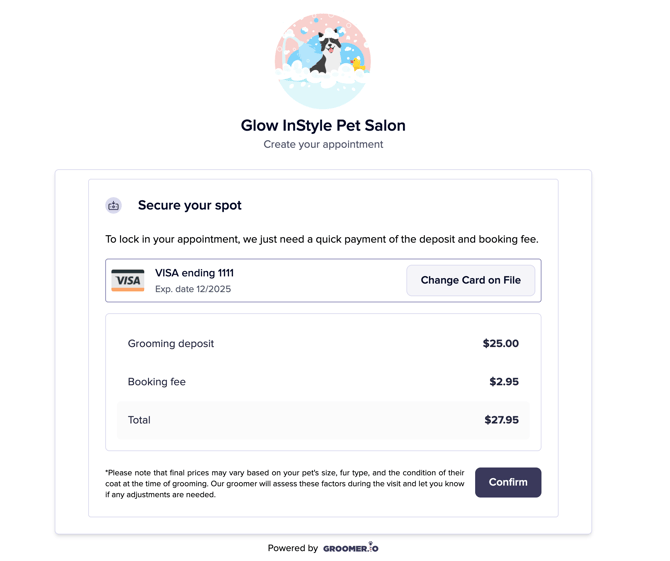
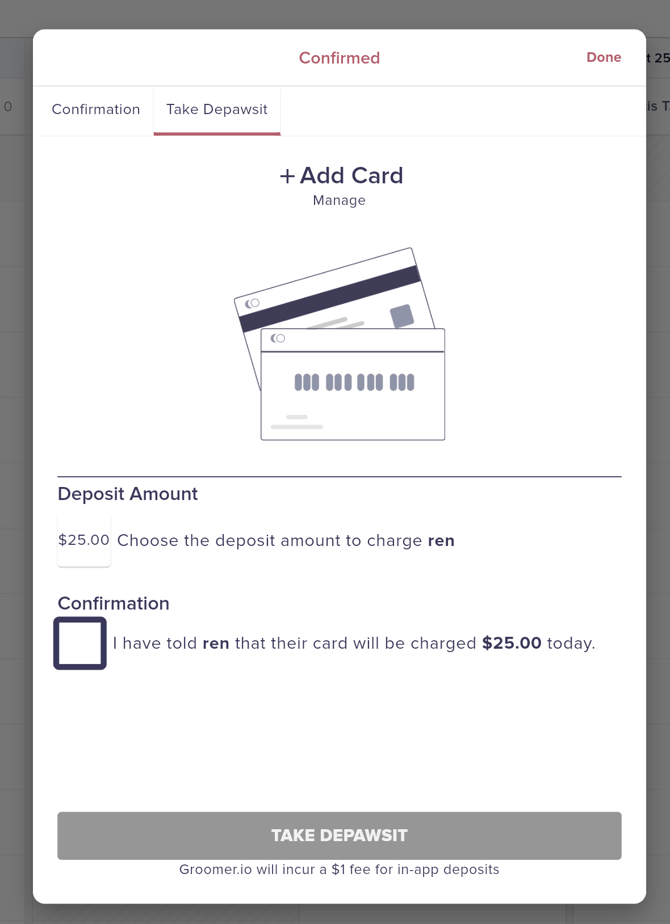
You can also take DePAWsits in app:
If you are booking a customer manually, you can take a deposit on the Schedule Confirmation screen.
MANAGING DEPOSITS ON FILE:
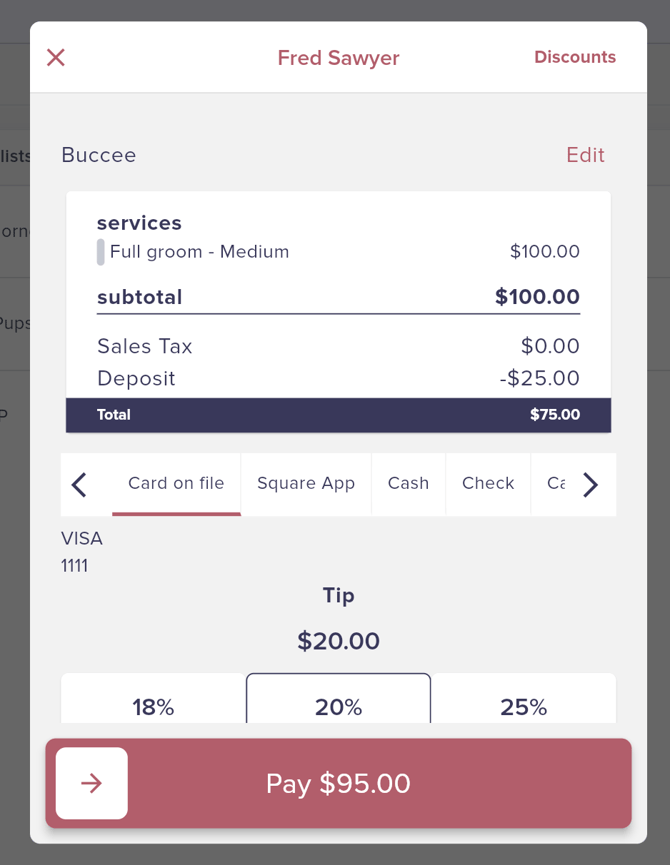
Once a client places a deposit when booking an appointment, it will be held until the day of the client's appointment. If the client shows up for their appointment, the Deposit amount will be automatically deducted from the service price. If the client no-shows or cancels last minute, you can keep or refund the deposit from the Today Screen.
-Tap on the 3 dots on the right of the Appointment
-Select Cancel or No Show from the options menu
-Select to Keep or Refund the deposit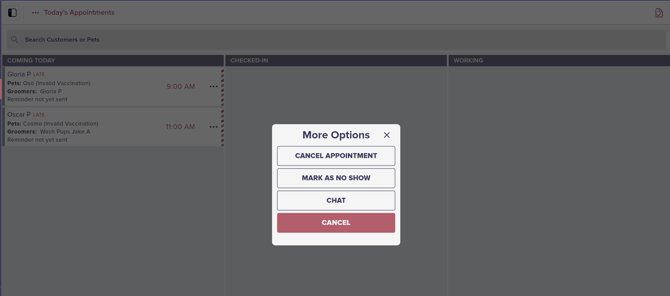
You can also KEEP, REFUND, or APPLY the deposit from within the Pet Parent Profile if you are managing the deposit before or after the day of the appointment.
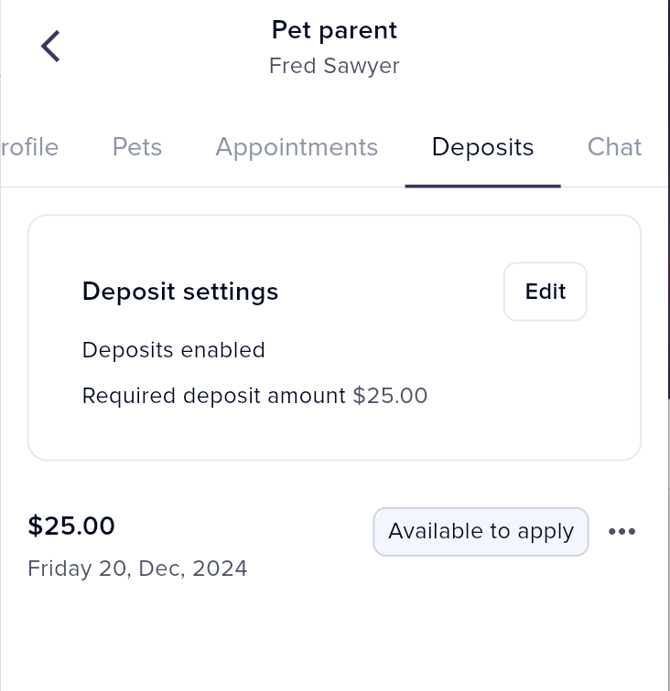
*****PLEASE NOTE: Deposits do not need to be marked as kept or refunded unless your customer cancels or no-shows their appointment. If the customer attends the scheduled appointment, the amount will be automatically deducted from their service price with no action necessary on your end.